North Way Christian Community
One church, eight campuses, one website that gives each location its own voice — without multiplying the work.
The challenge
North Way is a thriving eight-campus church in the Pittsburgh area, home to people from a wide spectrum of church backgrounds. Every campus is aligned on mission, branding, teaching, and church-wide initiatives, but each one tailors how it reaches, serves, and gathers with its local community.
Their previous site offered only basic single pages per campus and lacked user-friendly navigation. North Way wanted a site that better represented the church's mission and ethos. Prospective visitors who hadn't chosen a campus should find general information first, then get campus-specific content once they chose a location. The goal was to highlight each campus's local expression in a way that empowers the campuses and gives visitors a more transparent experience, all without creating mountains of duplicate content for every campus.
What we built
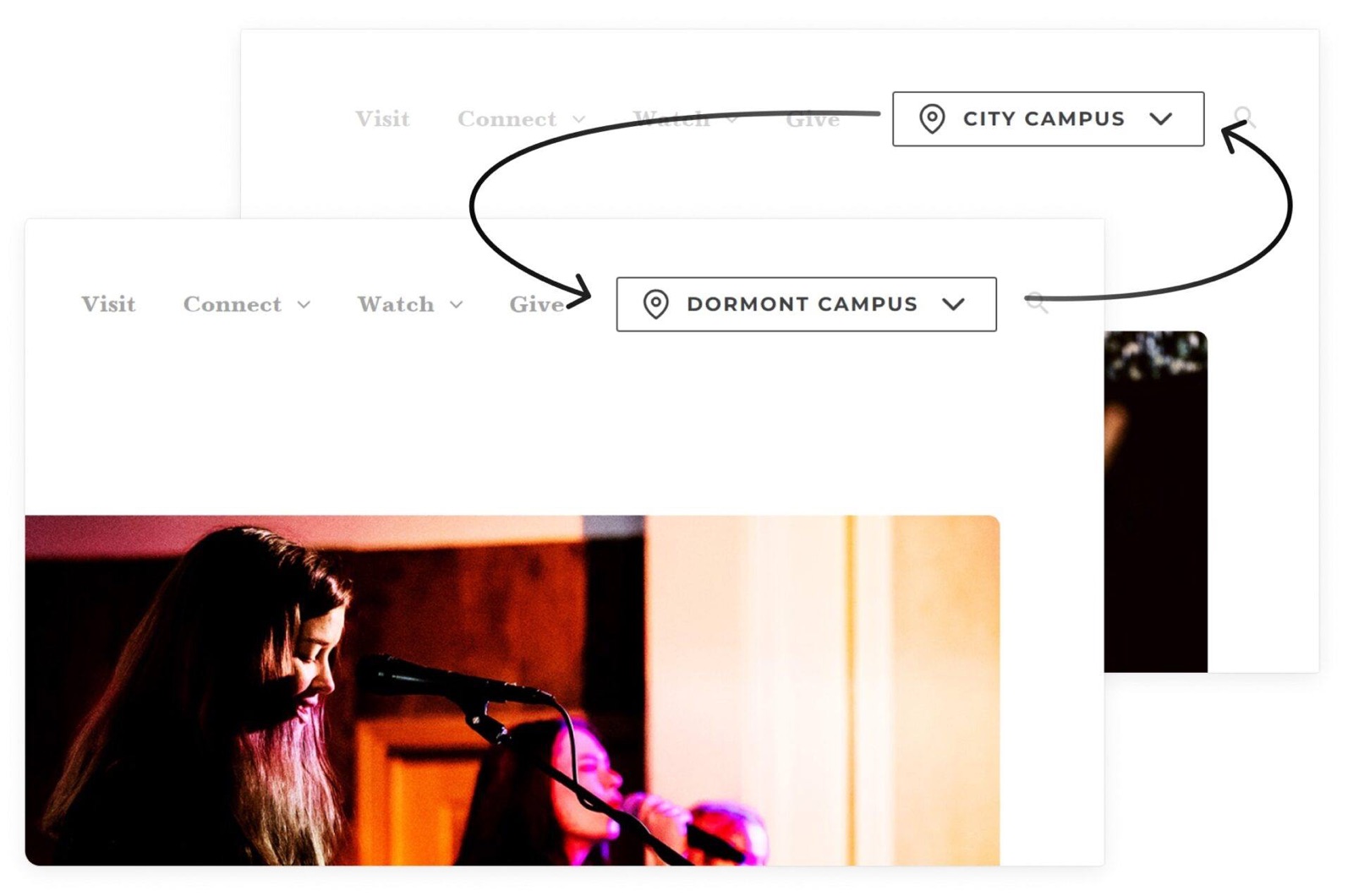
We built a context-switching website: pick a campus, and the navigation and content across the entire site automatically contextualize to that location — events, ministries, groups, staff, and sermons all filter to where you are.
North Way first asked for campus pages with sub-pages. After an in-depth discovery process, we recommended the context-switching model instead, built on our locations functionality. Visitors who haven't chosen a campus see a general version of the site with several clear paths to pick one. Once they do, the whole site, navigation included, shifts to that campus.
- Multiple ways to choose a campus — header dropdown, interactive map, homepage map, and an in-page switcher.
- Dynamic content filtering for events, ministries, groups, staff, and sermons.
- Hybrid sermon handling — supports both broadcast and live, campus-specific preaching.
- Ministry Platform API integration for groups and events.
- A site-wide design system that let us prototype quickly and refine in parallel.
Starting with user-centered design
Just before this project, our team put hundreds of hours into a UX study of multisite church websites, weighing the pros and cons of each approach. That understanding of what visitors need and where they get stuck, paired with a close working relationship with the North Way team, shaped every decision that followed.
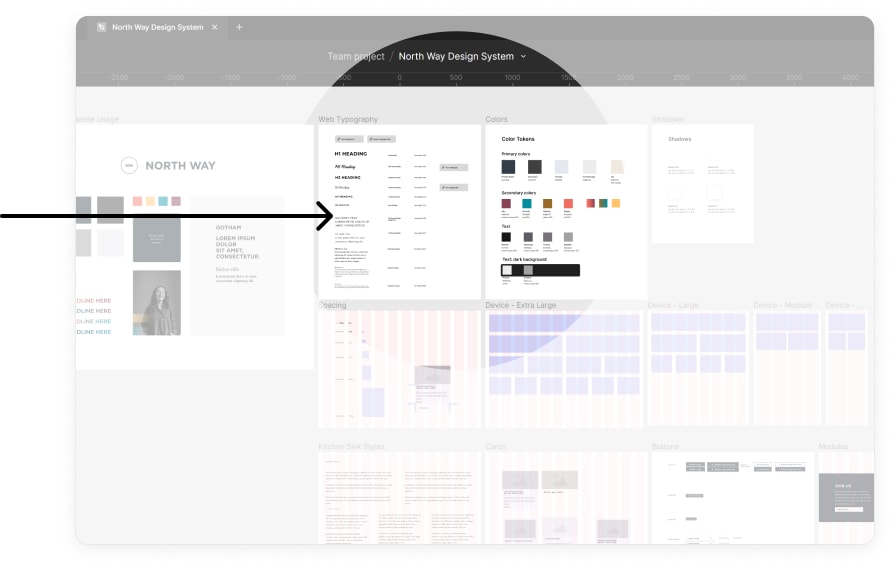
We built the site on a site-wide design system. Rather than customizing individual components one at a time, we adjusted the design at the global and class level. That let us rough out the design quickly so North Way could start creating content, then keep refining the system in parallel as we tested it and grew it in a real-world context.
Removing the friction from choosing a campus
Choosing the right campus is one of the most common pain points for prospective visitors on a multisite church website. North Way names its campuses after cities and townships. Those names mean something to people from the area, but not to someone new to the region. So we gave visitors several ways to choose, including options to see each campus on a map.
A campus selector in the header
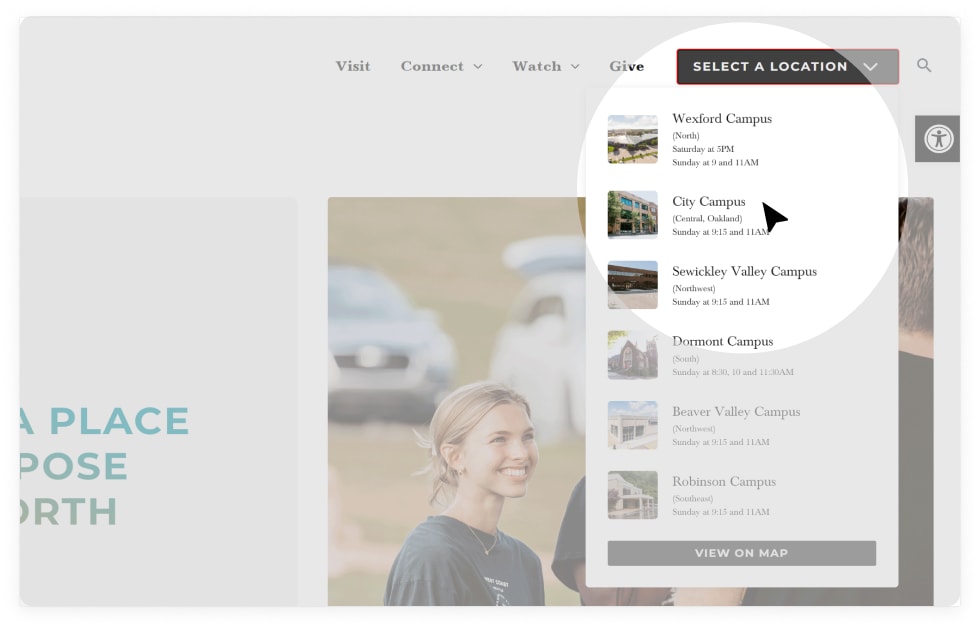
The header dropdown shows each campus name with a small thumbnail, its compass direction within the metro area, and its service times. From there, visitors can also open every location on an interactive map.
Maps that put each campus in context
An interactive locations map
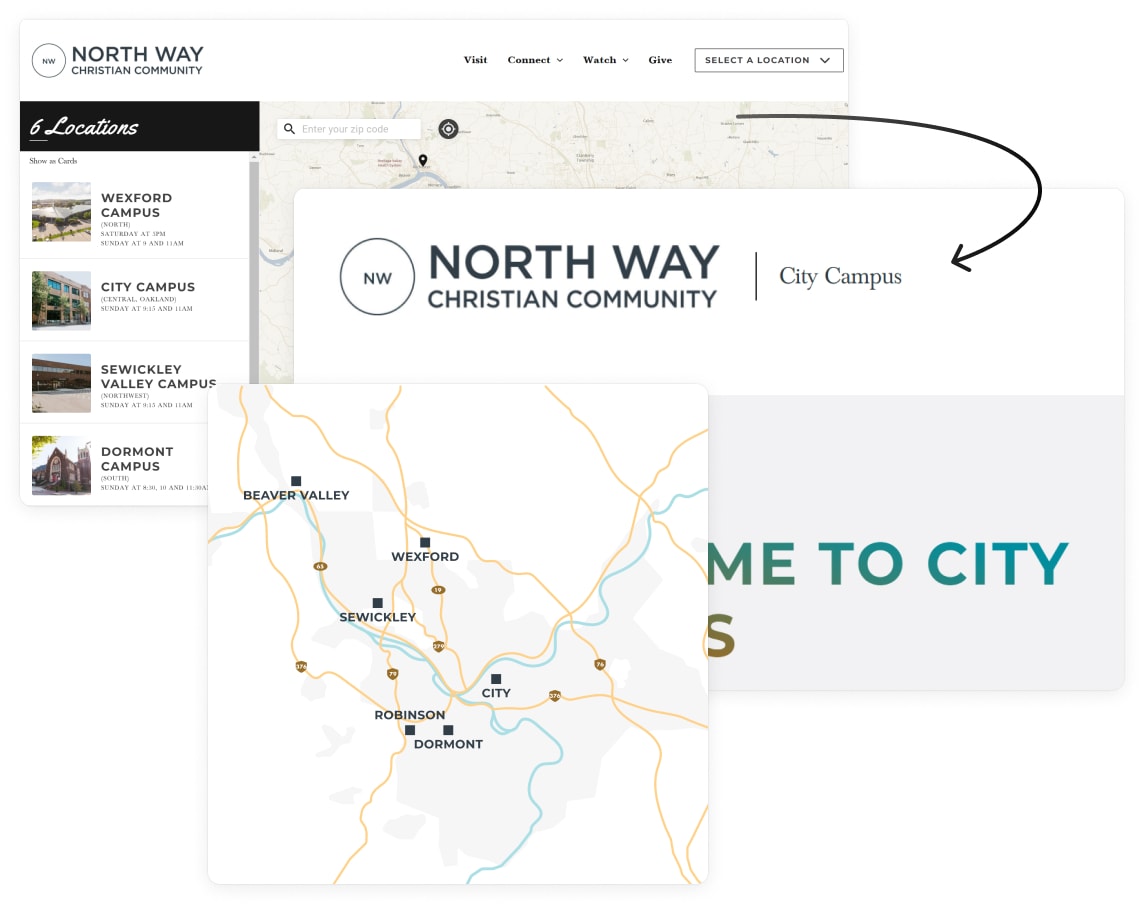
The locations page defaults to an interactive map paired with a compact list of campus cards that visitors can sort by distance. At North Way's request, clicking a map pin takes visitors straight to that campus's page instead of opening a card inside the map.
A minimalist map on the homepage
For the main homepage, we designed a simple map paired with campus links, so visitors can see at a glance where each campus sits.
Moving between campuses
An in-page campus switcher
Key pages, like Visit, have a campus switcher just below the page title. Visitors who haven't chosen a campus yet, or who are weighing more than one, can move directly between each campus's version of that page.
Detailed campus cards
The general Visit page shows detailed campus cards, and visitors can switch the interactive map to a card view to see the same detail.
More context, without more work
We built an approach to dynamic content on top of our locations functionality. For every page, North Way's team decides whether it's unique, shared with one or more campuses, global, or not applicable to a campus. In practice, pages fall into six types.
- Shared pages with dynamic links and components. The vast majority of pages are shared between campuses. Their modules for events, ministries, groups, staff, posts, and latest sermons apply the campus filter automatically once a campus is selected.
- Static general pages with one shared dynamic page for campuses. The ministries page narrows to the ministries and partners of the selected campus, while the general view, with no campus selected, avoids showing duplicate ministries.
- General-only pages. A few pages only make sense on the general version of the site. Because staff lists filter by campus automatically, an All Staff page at the campus level would hide everyone not tied to that campus, so All Staff lives only in the general context. Admins and editors can override the dynamic links and point to a specific URL whenever they need to.
- Selectively relevant pages. City Campus is the only location with a formal College Ministry, so that page has a single version, and it exists only inside the City Campus context.
- Pages unique to one location but shared by the rest. The main campus, Wexford, has a much larger team that North Way wanted broken out by department, so it has its own staff page. The other campuses share a single dynamic staff page that narrows to each campus's team, such as Dormont or Sewickley Valley.
- Truly unique pages. Only four essential pages have separate general and campus-specific versions: the homepage, Visit, Kids, and Students. Even these reuse a shared template and global rows and components, which cuts the effort of creating each one.
Broadcast and live sermons
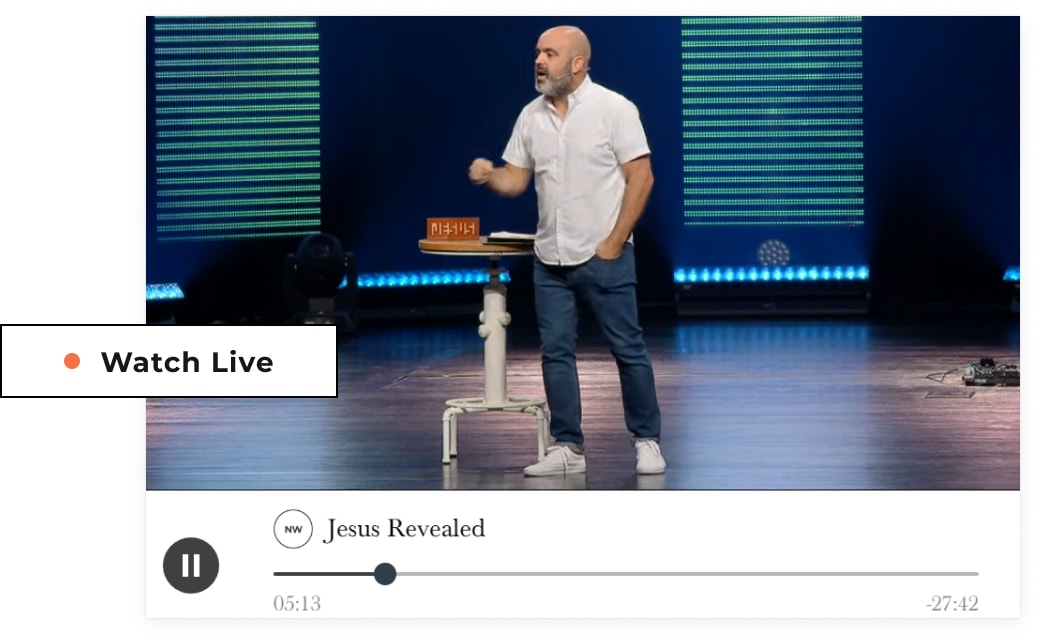
Most weekends, North Way broadcasts the same sermon to every campus. On around 15% of weekends, though, each campus has live, in-person preaching. The church never had a clean way to put those in-person sermons on its site, and our sermon manager was designed for exactly this case. North Way can now add audio and video from individual campuses. When someone browses sermons within a campus's context, they see that campus's message instead of, or alongside, the main broadcast.
Groups from Ministry Platform
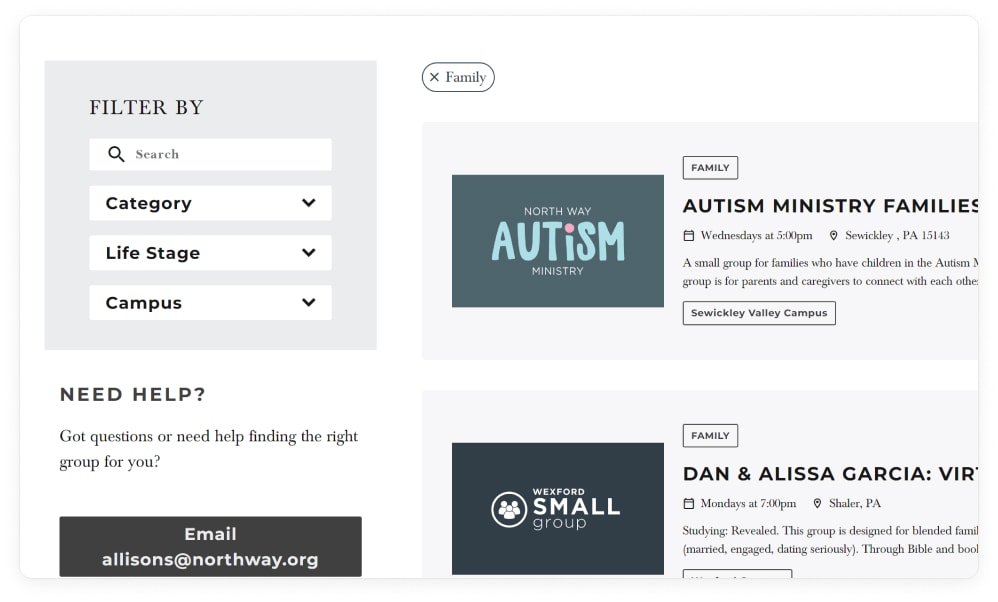
We designed a custom groups interface and connected it through an API to Ministry Platform, North Way's church management system, so group records flow onto the site automatically. Groups show or hide based on the selected campus, and group modules can appear within the context of other pages, too.
Events from Ministry Platform
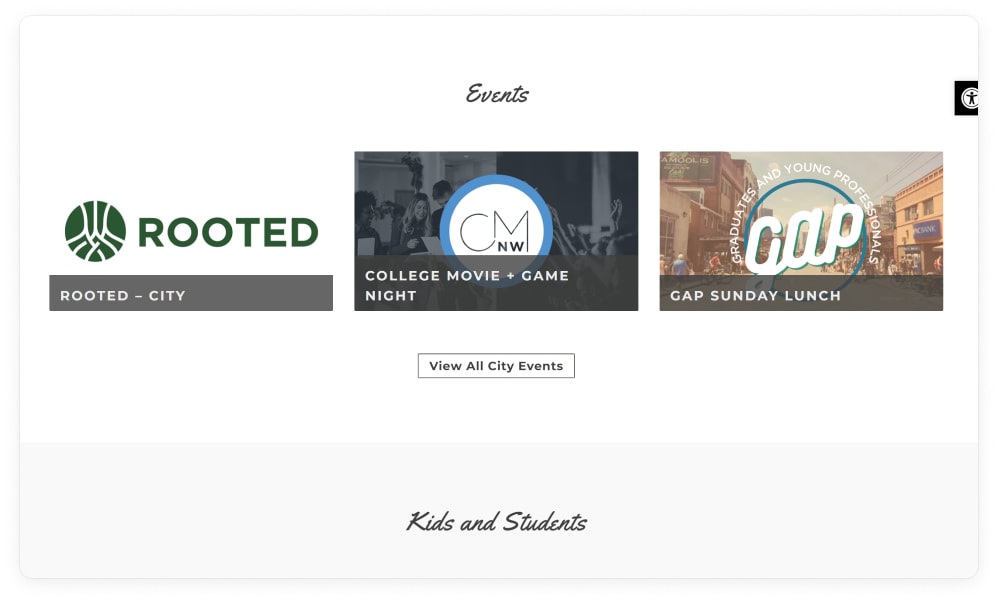
We adapted Event Calendar Pro to work with our campus-switching logic, then built an API integration that pulls and syncs events from Ministry Platform. The church keeps a single version of the truth, and visitors can explore and interact with events without leaving the site, or their campus.
"Mission Lab is solutions oriented and communicative. Our team feels empowered by our new site and raved about the process. Our congregation can find content and register for events easily. Mission accomplished!"
Explore another project.
Want a site your whole church will use?
Start with the free church website report, or get a free review of your current site.